At eight in the morning, it’s a dining table. By nine, there’s a laptop, a keyboard, a coffee mug, and someone trying to look professional while sitting three feet from the refrigerator.
Working from home (WFH) can turn ordinary household furniture into a temporary office. Not everyone has a spare room for a dedicated desk, and plenty of people would rather reclaim the dining table when work ends. Star Lite Tech Co. carries compact computer accessories and webcams that can fit into this kind of arrangement without requiring a permanently installed workstation.
The Table Has Two Shifts
A dining table is already a busy piece of furniture. It hosts meals, conversations, deliveries waiting to be opened, and occasionally a laptop that seems determined to claim permanent residency.
Turning it into a workspace introduces a particular problem: the computer equipment has to occupy the surface during working hours and make way for the household afterward.
That changes how you think about accessories. A large permanent arrangement may be perfectly reasonable on a dedicated desk, while a shared table benefits from equipment that can be arranged and stored individually.
Star Lite Tech Co. lists the Compact Silent Wired Laptop Keyboard, Optional Mouse Set and the Mini 2.4 GHz Wireless Laptop Mouse, 1000 DPI among its computer accessories. These provide two different starting points for someone considering keyboard and mouse equipment for a temporary workspace.
The store also carries the Mini Autofocus USB Webcam With Noise-Reducing Microphone (720P / 1080P). Its documented monitor-clip and desktop placement options give the camera a potential role in an arrangement that changes throughout the day.
A Keyboard Without a Permanent Address
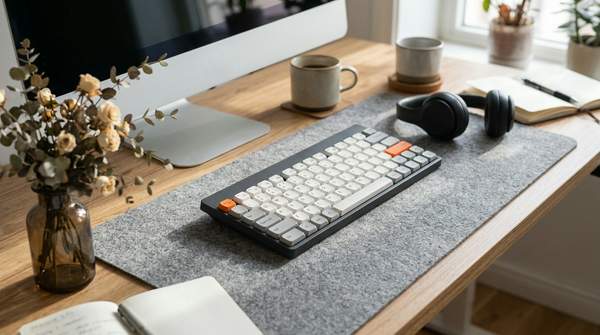
An external keyboard can change how someone uses a laptop at a table. The screen can occupy one position while the keyboard sits where the hands naturally work.
The Compact Silent Wired Laptop Keyboard, Optional Mouse Set from Star Lite Tech Co. is presented as a compact wired keyboard with an optional mouse-set configuration. That creates a choice between shopping for a keyboard and considering an arrangement that includes a computer mouse.
The distinction is particularly relevant when the table must be cleared later. Someone who already owns a suitable mouse may prefer a keyboard-only option, while a shopper assembling the setup from scratch may be interested in the combined configuration.
The product’s compact positioning is a reason to examine its physical layout, but the collection listing does not establish exact dimensions or measured noise levels. The word “silent” in the name should not be treated as proof that typing produces no sound.
For a temporary workstation, the more interesting question is how the keyboard fits into the normal working position. A separate keyboard may let the laptop screen sit farther back, leaving the typing area closer to the user.
That arrangement takes up tabletop space, but it can also create a deliberate division between the screen and controls. When work ends, the external keyboard becomes a separate item to put away instead of an installation that must remain on the table.
Give the Computer Mouse Less Territory
A mouse can occupy very little space and still cause problems when its movement area is surrounded by cups, notebooks, cables, and other objects. The working surface may have plenty of room overall but surprisingly little uninterrupted space beside the laptop.
Star Lite Tech Co.’s Mini 2.4 GHz Wireless Laptop Mouse, 1000 DPI offers a smaller-format wireless alternative. Its name establishes a 2.4 GHz wireless connection and a 1000 dots-per-inch (DPI) specification.
The wireless format is especially interesting beside the wired keyboard. Removing a trailing mouse cable can simplify one part of the tabletop arrangement, even though the keyboard itself remains connected by wire.
The 2.4 GHz designation should not be confused with a confirmed Bluetooth connection. The exact receiving hardware and device requirements are separate compatibility details, so this model should be considered for its documented wireless format rather than an assumed Bluetooth feature.
If the compact keyboard’s optional mouse set is appealing, that creates another comparison. A shopper can consider the bundled keyboard-and-mouse arrangement or look at a separate mini wireless mouse with its own documented specification.
Neither purchasing direction is universally preferable. The useful distinction is whether the shopper wants the keyboard’s optional set or a specific wireless mini mouse as an individual accessory.
The Webcam Needs a Place to Sit
Video meetings introduce another physical challenge. The camera has to capture a suitable angle without consuming so much tabletop space that the temporary office becomes awkward.
The Mini Autofocus USB Webcam With Noise-Reducing Microphone (720P / 1080P) offers two documented placement approaches. It can clip onto a compatible monitor or sit on a desk, giving the camera an option that the laptop’s built-in webcam may not provide.
Star Lite Tech Co. lists 720P and 1080P resolution versions, each with a stated 30 frames per second. The webcam also includes autofocus, automatic white balance, color correction, and a built-in microphone described as noise-reducing.
Its listed weight is 150 grams, and the product offers 90-degree vertical tilt adjustment. Those specifications give a shopper concrete information about a separate camera accessory that can be positioned and moved.
For someone working at a dining table, the desktop placement may be attractive when the laptop or monitor does not provide a suitable mounting position. The clip arrangement offers an alternative when the computer setup can accommodate it.
The documented microphone may also be relevant to someone who wants the webcam to handle audio input during calls. Noise reduction is listed as a feature, but the product description does not establish that it will remove every background sound in a shared household.
The camera’s role is therefore specific: it provides an external video-and-microphone option with two documented mounting approaches. It does not need to promise professional studio results to make sense in a temporary working environment.
A Workstation You Can Rearrange
There is a difference between a desk that stays assembled and a table where every component has to earn its space. On the latter, the arrangement should follow the work being done that day.
A day spent mainly writing may involve the laptop and external keyboard. A schedule filled with video calls might give the mini webcam a more prominent place, while tasks requiring frequent pointer movement may bring the wireless mouse into regular use.
These are separate accessories rather than parts of a fixed desktop package. That makes it possible to select individual products from Star Lite Tech Co. according to the work arrangement someone actually prefers.
The connection details shape the physical setup, too. The compact keyboard is wired, while the mini mouse uses a 2.4 GHz wireless connection and the mini webcam connects through USB 2.0.
A laptop with limited connection options may need an appropriate arrangement for those devices. The important commercial detail is that the products have different documented connection requirements, even though they may all be considered for the same temporary workspace.
The resulting setup can remain fairly simple. A separate keyboard and mouse handle computer input, while the webcam provides an external camera arrangement when the work calls for one.
The Five-Minute Office Exit
Finishing work at a shared table has a small ceremonial quality. The last application closes, the laptop moves, and the household starts reclaiming its furniture.
A keyboard, mouse, and mini webcam are separate pieces that can be stored between sessions. Their individual formats make it possible to consider a setup that returns to the same surface without permanently attaching equipment to it.
Picture ending a video call and removing the webcam from its position. The laptop closes, the keyboard is disconnected, and the mouse goes into its storage spot.
The next person using the dining table may have no interest in the elaborate arrangements that made the working day possible. They simply want enough space for dinner.
This is a distinct reason to consider compact computer accessories rather than purchasing equipment entirely around an idealized home-office photograph. The equipment has to suit both the working session and the household’s normal use of the space.
Star Lite Tech Co.’s compact keyboard, mini wireless mouse, and small webcam provide an assortment to examine around that reversible arrangement. They address different tasks while remaining separate products that can be put away.
Small Doesn’t Mean Every Component Has to Shrink
A shared-space workstation should not become an exercise in purchasing the smallest version of everything. The equipment still has to support the tasks performed on it.
A compact keyboard may appeal for its physical format, but a person who depends on a particular key layout may prefer another design. The mini mouse offers wireless operation, although that does not establish that its shape will suit every hand or working style.
The webcam presents a different decision. Someone satisfied with the laptop’s existing camera may not need another one, while someone wanting the documented desktop placement, autofocus, and microphone features has a more specific reason to consider the mini model.
Those distinctions give the product combination a practical hierarchy. The keyboard and mouse handle input, the webcam serves video calls, and each item earns its place according to the work actually performed.
The arrangement is flexible because the components can be selected separately. There is no need to pretend that every household requires the same accessories or that a temporary office must imitate a permanent corporate desk.
Frequently Asked Questions
What equipment can support a temporary WFH setup?
A laptop may be supplemented with a compatible keyboard, computer mouse, or webcam, depending on the work being performed. Star Lite Tech Co. carries compact and mini-format accessories that can be considered for a shared-table arrangement.
Does Star Lite Tech Co. offer a compact keyboard with a mouse option?
Yes. Star Lite Tech Co. lists the Compact Silent Wired Laptop Keyboard, Optional Mouse Set, allowing shoppers to consider a keyboard-only configuration or an available mouse-set option. The exact selected version determines what is included.
Is the Star Lite Tech Co. mini wireless mouse a Bluetooth mouse?
Bluetooth is not established by the listed name. Star Lite Tech Co.’s Mini 2.4 GHz Wireless Laptop Mouse, 1000 DPI is identified as a 2.4 GHz wireless product, which should not be assumed to use Bluetooth.
Can the Star Lite Tech Co. mini webcam sit on a desk?
Yes. Star Lite Tech Co. lists the Mini Autofocus USB Webcam With Noise-Reducing Microphone (720P / 1080P) with desktop placement and monitor-mounting options. It also offers autofocus, a built-in microphone, and two resolution variants.
Clock Out and Clear the Table
Your dining table can handle a second job without becoming a permanent office. A compact keyboard, wireless mini mouse, and movable webcam give you individual equipment choices for the hours when work takes over.
Star Lite Tech Co. carries those options alongside other computer accessories, so you can assemble a setup that fits the shared surface and the tasks performed there. Compare the compact configurations, choose the pieces that earn their space, and let the table return to its evening shift.